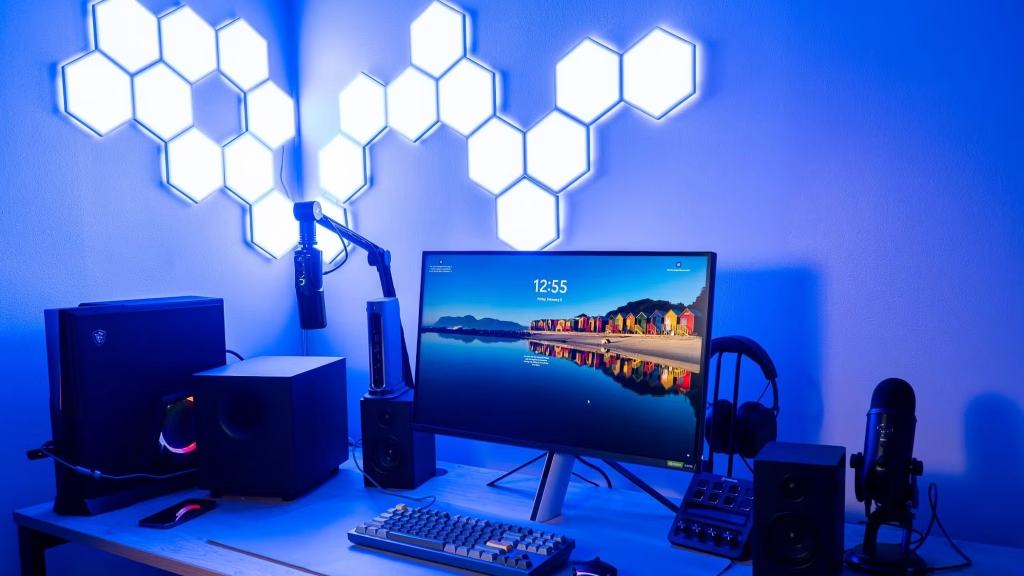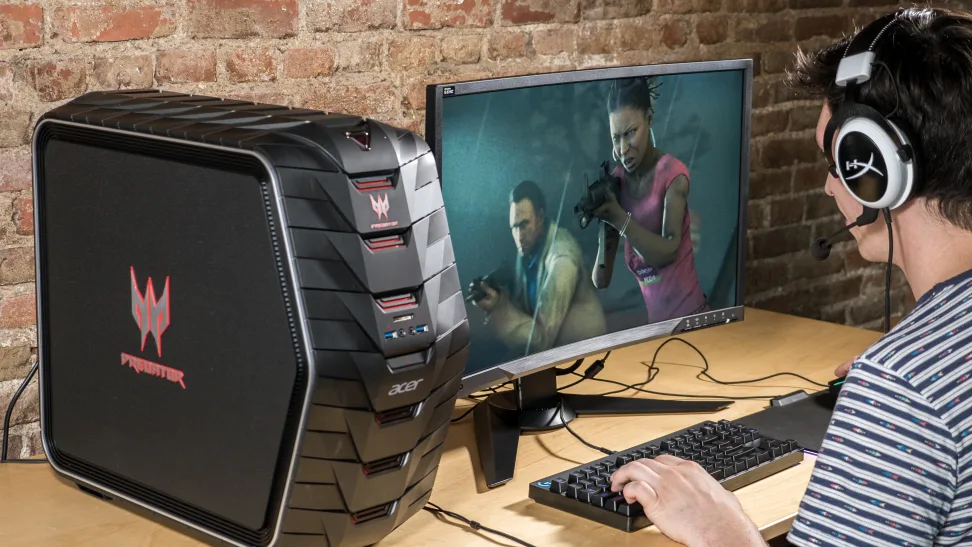
Gaming webcams have become a key part of streaming setups, helping creators present a clear, professional image instead of relying on built-in laptop cameras. The main challenge is balancing resolution, frame rate, and low-light performance, since streaming environments and gameplay conditions can vary widely. Modern webcams now range from budget 1080p models to advanced 4K options with AI tracking and improved image processing.
This guide breaks down the best gaming webcams for streaming across different budgets and performance levels. It also covers key features like autofocus, field of view, and low-light performance so you can choose a webcam that fits your setup, whether you’re a beginner or building a more professional streaming rig.
1. Nbpower 1080p 60fps Streaming Camera Webcam

The NBPOWER 1080P 60FPS Streaming Camera Webcam is ideal for content creators, remote workers, and online educators seeking a high-quality video and audio experience. If you want to enhance your video calls, live streams, or virtual meetings with clear visuals and crisp sound, this webcam is designed to meet your needs. It is perfect for anyone using a laptop, desktop computer, Windows, Mac OS, or PC who desires reliable performance and ease of use.
Pros:
- Provides 1080P full HD resolution at 60FPS for smooth and clear video quality.
- Equipped with a built-in microphone for clear audio capture.
- Includes an adjustable fill RGB light to improve lighting in low-light environments.
- Features autofocus technology for sharp images without manual adjustments.
- Compatible with multiple operating systems including Windows, Mac OS, and works seamlessly with laptops and desktop computers.
Cons:
- The fill RGB light may be too bright for some users in dark settings.
- No dedicated software for advanced camera settings customization.
- Limited physical dimensions might restrict placement options on some monitors.
The NBPOWER 1080P 60FPS Streaming Camera Webcam offers exceptional video quality with its full HD resolution and high frame rate, ensuring your streams and video calls appear smooth and professional. The autofocus feature automatically adjusts the lens to keep your image crisp and clear, eliminating the need for manual focus adjustments during important meetings or live streams. Additionally, the integrated microphone captures your voice clearly, making communication more effective and natural.
Another standout feature is the built-in fill RGB light, which enhances visibility in dimly lit rooms or nighttime environments. This feature allows users to maintain excellent video quality regardless of lighting conditions. The webcam’s compatibility with multiple operating systems and devices ensures versatility and easy plug-and-play use. Its compact size and sleek black design make it a convenient and stylish addition to any workspace or streaming setup.
To buy this product, click here.
2. Logitech Brio 101 Webcam

The Logitech Brio 101 Full HD 1080p Webcam is ideal for professionals and content creators who require high-quality video for meetings, streaming, and online communication. Whether you use a desktop, laptop, or PC, this webcam is designed for users who want a reliable, sharp video feed combined with convenient features like a built-in microphone and privacy shutter. It is especially beneficial for those who engage frequently in platforms such as Zoom, Microsoft Teams, or even gamers utilizing the Nintendo Switch 2’s GameChat Mode.
Pros:
- Delivers Full HD 1080p video quality for crisp and clear visuals
- Includes a built-in microphone for seamless audio communication
- Equipped with a privacy shutter to ensure security when not in use
- Compatible with popular platforms like Zoom, Microsoft Teams, and Nintendo Switch 2
- Easy USB-A connectivity for quick plug-and-play setup
- Compact and stylish black design with convenient dimensions for portability
Cons:
- Does not support 4K video resolution, limiting ultra-high definition streaming
- USB-A connection may require adapters for newer devices with USB-C ports
- Limited customization options for video settings compared to some advanced webcams
The Logitech Brio 101 offers excellent video performance with its Full HD 1080p resolution, ensuring users look their best during virtual meetings or live streams. The built-in microphone captures clear audio, reducing the need for additional peripherals, making it a convenient all-in-one solution. Its compatibility with multiple platforms such as Zoom, Microsoft Teams, and the Nintendo Switch 2’s GameChat Mode makes it versatile for different use cases, from professional environments to casual gaming sessions.
The webcam’s privacy shutter adds an essential layer of security by physically blocking the camera lens when it is not in use, giving users peace of mind. Its compact size and sleek black design make it easy to carry and blend in with any setup. While it lacks ultra-high definition 4K support, its 1080p quality is more than sufficient for most users seeking reliable and clear video communication. Overall, the Logitech Brio 101 is a practical choice for anyone looking for a dependable and user-friendly webcam with solid features.
To buy this product, click here.
3. Aoc 4k Webcam For Pc

The AOC 4k Webcam for PC with Microphone is ideal for professionals, content creators, and remote workers who demand crystal-clear video quality for their streaming, conferencing, and video calls. If you are someone who values high-resolution visuals and clear audio during Zoom, Skype, Facetime, or any online meeting platform, this webcam is designed to meet your needs with ease and efficiency.
Pros:
- Supports 4k ultra-high-definition video for sharp, vibrant images
- Built-in noise cancellation microphone ensures clear voice capture
- 99° field of view (FOV) captures a wide area, perfect for group calls or presentations
- Convenient privacy cover for security and peace of mind
- Plug & play USB connectivity for easy installation without additional drivers
- Compact and lightweight design fits easily on laptops and desktops
Cons:
- May require good lighting conditions to maximize 4k video quality
- Black color may show fingerprints easily
- Fixed focus lens might not suit all distance preferences
The AOC 4k Webcam boasts impressive video resolution that transforms your video calls and streams with ultra-clear imagery. Its 99° field of view is particularly beneficial for users who want to include multiple people or show more background, making it perfect for team meetings and creative presentations. The webcam’s noise cancellation microphone enhances audio clarity by reducing background noise, which is essential for professional communication and content creation.
Additionally, the webcam’s plug & play USB functionality means users can set it up quickly without fuss, making it highly accessible for anyone regardless of tech expertise. The privacy cover adds a layer of security, ensuring users can physically block the lens when not in use, which is a valuable feature for privacy-conscious individuals. Overall, this webcam combines advanced features with user-friendly design, making it a great choice for anyone looking to upgrade their video calling experience.
To buy this product, click here.
4. Razer Kiyo V2 X Streaming Webcam
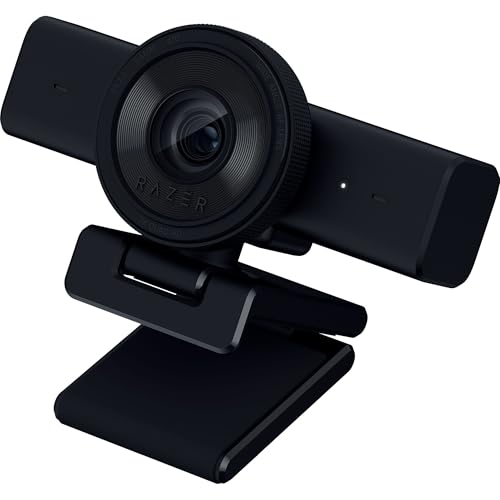
The Razer Kiyo V2 X Streaming Webcam is ideal for content creators, streamers, and remote professionals who demand high-quality video and audio for their broadcasts and meetings. If you are looking for a reliable webcam that supports 1440p resolution at 60 FPS with advanced features like auto focus and a built-in microphone, this device is a perfect choice. It’s especially suited for users who utilize platforms such as OBS, Xsplit, Streamlabs, Discord, Zoom, and Teams for streaming or video conferencing.
Pros:
- High-resolution 1440p at 60 FPS for smooth and clear video quality
- Auto focus ensures sharp and professional-looking video
- Built-in microphone delivers clear audio without needing extra equipment
- Wide angle lens captures more of the background, ideal for dynamic streams
- Integrated privacy shutter offers peace of mind when not in use
- Seamless compatibility with popular streaming and video conferencing software
- Compact and lightweight design for easy setup and portability
Cons:
- May require higher bandwidth for optimal 1440p 60 FPS streaming
- Lacks advanced manual settings for professional videographers
The Razer Kiyo V2 X Webcam stands out with its ability to stream in 1440p at 60 frames per second, providing crystal-clear and fluid video quality that enhances viewer experience. The auto focus feature maintains sharpness automatically, eliminating the need for constant manual adjustments. With a wide-angle lens, users can comfortably fit more into the frame, which is particularly beneficial for streamers who want to showcase their environment or multiple participants.
Additionally, the built-in microphone captures clear audio, reducing the clutter of external devices and simplifying the setup process. The integrated privacy shutter adds a layer of security, allowing users to physically block the camera when not in use. Compatible with a wide range of popular streaming and communication platforms, this webcam caters to both casual and professional users who seek a hassle-free, high-quality streaming solution.
To buy this product, click here.
5. Emeet C60e Dual-camera 4k Webcam

The EMEET C60E Dual-Camera 4K Webcam is ideal for content creators, livestreamers, and professionals who require high-quality video for online meetings and broadcasts. If you are looking for a webcam that offers versatile camera options, excellent zoom capabilities, and enhanced audio, this device is perfect for you. It suits individuals who want to elevate their streaming or conferencing experience with crisp visuals and clear sound.
Pros:
- Dual-camera system with wide-angle and telephoto lenses for flexible framing
- Supports 4K video resolution ensuring ultra-clear image quality
- Max 11X hybrid zoom combined with PDAF autofocus for sharp and detailed visuals
- Remote control for convenient camera adjustments without interrupting the session
- Customizable RGB lighting to enhance streaming ambiance
- Built-in dual microphones offering improved audio capture
- Compact and sleek black design fits any setup
Cons:
- Relatively small dimensions may require careful placement for optimal framing
- Higher price point compared to basic webcams
- Advanced features might have a learning curve for beginners
The EMEET C60E webcam stands out with its dual-camera setup, combining a wide-angle lens for group shots or immersive backgrounds and a telephoto lens for close-ups. This versatility allows users to switch perspectives effortlessly during livestreams or video calls. The impressive 4K resolution captures every detail in sharp clarity, while the 11X hybrid zoom paired with PDAF autofocus ensures your image remains crisp even when zoomed in. This feature is particularly beneficial for presenters and streamers who need to focus on specific details or objects.
Beyond image quality, this webcam enhances user experience with a remote control that simplifies camera adjustments, so you never have to leave your seat. The addition of RGB lighting adds a customizable flair, allowing streamers to create the perfect mood or match their branding. Additionally, the dual microphones improve audio clarity, making conversations and broadcasts sound professional and clear. Compact yet powerful, the EMEET C60E is a comprehensive solution for anyone serious about streaming or online communication.
To buy this product, click here.
6. Niveoli Webcam 1080p

The NIVEOLI Webcam 1080P with Microphone & Privacy Cover is ideal for professionals, students, and gamers who require a reliable, high-quality video camera for video calls, live streaming, and online meetings. If you need a plug-and-play device that offers clear visuals and enhanced privacy, this webcam is designed to meet those needs effortlessly.
Pros:
- High-definition 1080P resolution for crisp and clear video quality
- Built-in microphone ensuring clear audio during calls and streams
- Privacy cover for added security when the webcam is not in use
- Auto light correction feature enhances video clarity in different lighting conditions
- Easy USB plug & play setup compatible with most PCs and laptops
- Lightweight design weighing only 0.42 pounds for portability
Cons:
- No adjustable tripod or mount included
- Limited advanced camera settings for professional streaming needs
The NIVEOLI Webcam 1080P offers a seamless user experience with its simple plug and play functionality, eliminating the need for complicated installations or drivers. The auto light correction feature automatically adjusts the image to produce vibrant and balanced video, even in low-light environments. This makes it perfect for users who conduct video calls or streams from various lighting setups without worrying about poor image quality.
Additionally, the integrated privacy cover provides peace of mind by physically blocking the camera lens when it is not in use, protecting users from unauthorized access. The webcam’s built-in microphone captures clear and natural sound, which is essential for professional meetings and interactive gaming sessions. Overall, this device combines convenience, security, and high performance, making it a versatile choice for anyone looking to enhance their video communication setup.
To buy this product, click here.
7. Acer 1080p Webcam

The Acer 1080p Webcam USB Plug and Play Webcam is ideal for individuals who require a reliable, high-quality camera for desktop streaming, online meetings, and gaming. Whether you’re a professional working remotely, a content creator, or a gamer looking to enhance your streaming setup, this webcam offers an easy-to-use solution with clear video and audio capabilities. Its plug-and-play functionality makes it perfect for users who want hassle-free installation without technical complications.
Pros:
- High-definition 1080p video quality for clear visuals
- Built-in noise cancellation microphones ensuring crisp audio
- Wide angle lens captures more background and participants
- Includes a privacy cover for added security
- Compact black design fits seamlessly on any setup
- Comes with an A-to-C adapter for versatile connectivity
- Easy setup with USB plug and play functionality
Cons:
- May not perform well in low-light conditions without additional lighting
- Fixed focus lens, limiting manual adjustment options
The Acer 1080p Webcam stands out with its ability to deliver crisp and clear 1080p video, making it an excellent choice for users who demand quality visuals during calls or streams. The inclusion of noise cancellation microphones enhances audio clarity, reducing background distractions and improving communication effectiveness. Its wide-angle lens is especially beneficial for group calls or streaming setups where more background coverage is desirable.
Additionally, the webcam’s privacy cover offers peace of mind by protecting users from potential unauthorized access. The A-to-C adapter extends compatibility to a variety of devices, while the plug and play design ensures that even those with limited technical knowledge can quickly set up and start using the webcam. Compact and lightweight, this webcam is an efficient accessory that complements any desktop environment.
To buy this product, click here.
8. Logitech Mx Brio Ultra Hd 4k Webcam

The Logitech MX Brio Ultra HD 4K Webcam is ideal for professionals and content creators who demand high-quality video for collaboration and streaming. Whether you are a remote worker attending Microsoft Teams, Zoom, or Google Meet calls, a streamer seeking crisp visuals, or a gamer using the Nintendo Switch 2, this webcam offers advanced features to enhance your video experience. Its compact size and graphite color make it a sleek addition to any workspace or setup.
Pros:
- Supports stunning 4K Ultra HD resolution for crystal-clear video quality
- High frame rate of 1080p at 60 FPS ensures smooth and fluid video
- Compatible with popular platforms like Microsoft Teams, Zoom, Google Meet, and Nintendo Switch 2
- Show Mode enables unique ways to share content during calls
- Compact and lightweight design (0.79 pounds), easy to carry and set up
Cons:
- May be priced higher than standard webcams due to advanced features
- Full 4K streaming requires a strong internet connection and compatible hardware
- Limited color options, only available in graphite
The Logitech MX Brio Ultra HD 4K Webcam boasts impressive video capabilities, offering ultra-high definition that brings every detail into sharp focus. Its ability to stream at 1080p 60 FPS ensures your video remains smooth even during fast movements, which is essential for dynamic meetings or live streaming sessions. The webcam’s compatibility with major video conferencing platforms and the Nintendo Switch 2 makes it highly versatile, catering to a wide range of users from business professionals to gamers.
Additionally, the Show Mode feature allows users to present content creatively, enhancing collaboration and engagement during calls. Its ergonomic design, with a height of 2.63 inches and a compact footprint, makes it easy to position on any desk without taking up much space. Weighing just 0.79 pounds, it is also portable for on-the-go use. Overall, this webcam is a premium choice for anyone looking to elevate their video communication with exceptional clarity and flexibility.
To buy this product, click here.
Frequently Asked Questions
What Is The Best Resolution For Gaming Webcams?
For gaming, 1080p at 60FPS is ideal. It offers smooth, clear video for streaming and gameplay. Some webcams also support 4K, but 1080p balances quality and performance well for most streamers.
Do Gaming Webcams Need Built-in Microphones?
Yes, built-in microphones simplify setup and improve audio quality. Many gaming webcams include noise cancellation features for clear voice capture during streams or meetings.
How Important Is Autofocus In A Gaming Webcam?
Autofocus keeps your image sharp during movement. It ensures you stay clear on screen, enhancing viewer experience. Most top gaming webcams feature fast, reliable autofocus.
Can Webcams Work With Both Pc And Mac?
Most gaming webcams support Windows and Mac OS. They usually connect via USB and are plug-and-play for easy compatibility with laptops and desktops.
What Role Does Rgb Lighting Play In Webcams?
RGB lighting provides adjustable fill light to enhance your appearance. It improves video clarity in low-light gaming environments, making streams look more professional.
Are Privacy Covers Necessary For Gaming Webcams?
Privacy covers protect your camera lens when not in use. They prevent accidental streaming and enhance security, a useful feature for any gaming webcam.
Conclusion
Choosing the right gaming webcam can greatly improve your streaming experience. Each webcam on this list offers clear video, good sound, and useful features. Whether you need 1080p or 4K resolution, fast autofocus, or built-in lighting, there is an option for you.
Easy setup and compatibility with popular software make streaming simple. Privacy covers and noise-canceling microphones add extra convenience. Consider your budget and streaming needs when making a choice. A quality webcam helps you connect better with your audience and makes your streams look professional.
Take your time to pick the best one that fits your style and device. With the right webcam, your gaming streams will be more enjoyable and engaging. Ready to upgrade? Your viewers will notice the difference.