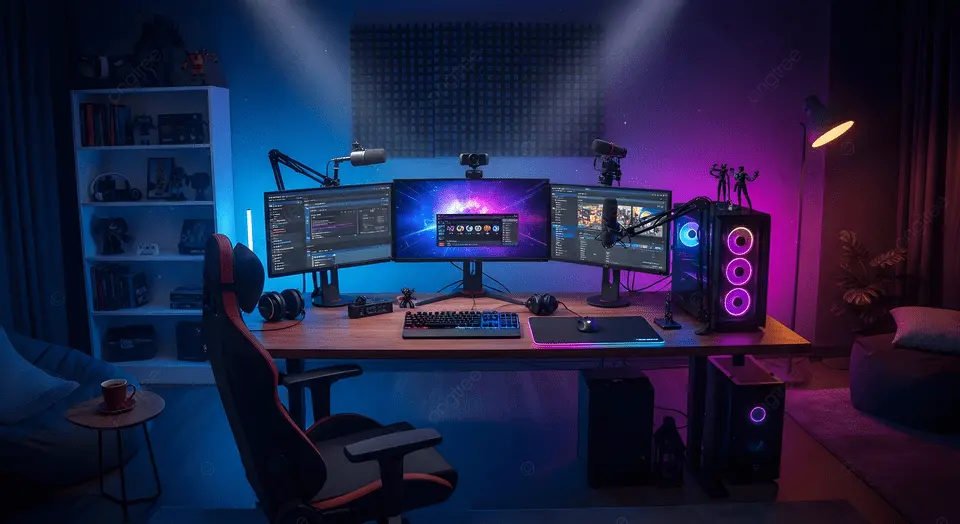
Managing multiple windows, live chats, and broadcast software across two screens can lead to a cluttered workspace and awkward camera angles. Without a strategic layout, streamers often struggle with neck strain or accidental leaks of private information when dragging windows between monitors. Specialized streaming accessories for dual setups solve this by providing articulating arms, cable management systems, and centralized controllers that allow you to organize your hardware for maximum efficiency and a professional look.
This guide identifies the essential accessories designed to optimize a two-monitor streaming environment. We cover the best heavy-duty dual monitor arms, desktop command centers, and peripheral mounts that keep your mic and camera perfectly positioned. You will also find a summary of space-saving tools and cable routing solutions to help you maintain a clean and highly functional production studio.
1. Vivo Dual Monitor Desk Mount

The VIVO Dual Monitor Desk Mount is ideal for professionals, gamers, and anyone looking to enhance their workspace by accommodating two computer screens up to 30 inches and 22lbs each. If you need a sturdy, fully adjustable solution to organize your desk and improve productivity, this heavy-duty steel stand is perfect for you.
Pros:
- Supports two monitors up to 30 inches and 22lbs each
- Heavy-duty, durable steel construction
- Fully adjustable arms for optimal viewing angles
- Easy installation with C-clamp and grommet mounting options
- Sleek black finish complements any workspace
Cons:
- Assembly may require some time and tools
- Not compatible with ultra-wide or curved monitors exceeding size/weight limits
The VIVO Dual Monitor Desk Mount offers robust support with its heavy-duty steel frame, ensuring your monitors stay securely in place. Its fully adjustable arms allow users to customize the height, tilt, and rotation, promoting ergonomic comfort and reducing neck and eye strain during long hours of use. The dual mounting options, including a C-clamp and grommet, provide flexibility for different desk types and setups, making it versatile for various environments.
Designed to hold two screens up to 30 inches and 22 pounds each, this desk mount helps maximize desk space by elevating monitors off the surface. This creates a cleaner, more organized workspace which can boost focus and productivity. The sleek black design not only adds a professional touch but also blends seamlessly with most office or home setups, making it an excellent choice for anyone seeking both function and style in their workstation.
To buy this product, click here.
2. Wali Dual Monitor Stand For Desk

The WALI Dual Monitor Stand for Desk is ideal for professionals, gamers, and anyone looking to enhance their workspace with a sleek and efficient dual monitor setup. If you use two monitors up to 27 inches each and want a sturdy, adjustable solution that fits monitors up to 22lbs, this product is designed for you. It’s perfect for those seeking to improve ergonomics, increase desk space, and create a more organized environment.
Pros:
- Full motion adjustability allows for easy tilting, swiveling, and rotation of monitors.
- Supports dual monitors up to 27 inches and 22 lbs each, accommodating most standard screens.
- Free-standing design offers sturdy support without the need for desk drilling.
- Compact dimensions (Height: 3.46 inches, Width: 10.75 inches, Length: 17.05 inches) save valuable desk space.
- Sleek black finish complements any professional or home office setup.
Cons:
- Weight of the stand (7.43 pounds) may be heavy for some users to move frequently.
- Limited to monitors weighing up to 22 lbs, which may exclude some larger or heavier displays.
The WALI Dual Monitor Stand offers a robust and flexible mounting solution that enhances productivity by allowing users to adjust their monitors to the perfect viewing angle. The full motion arms provide smooth tilting, swiveling, and rotating capabilities, which reduce neck and eye strain during long hours of work or gaming. Its compatibility with monitors up to 27 inches and 22 pounds ensures it supports a wide range of popular displays.
Designed with a free-standing base, this monitor stand eliminates the hassle of desk drilling or clamps, making it easy to set up and reposition as needed. The compact size and sleek black color make it an unobtrusive yet stylish addition to any desk, helping users maintain a clean and organized workspace. Overall, the WALI Dual Monitor Stand is a practical and durable accessory that meets the needs of multitaskers, creatives, and professionals alike.
To buy this product, click here.
3. Wali Extra Tall Dual Lcd Monitor Fully Adjustable Desk Mount

The WALI Extra Tall Dual LCD Monitor Fully Adjustable Desk Mount is ideal for professionals and gamers who require a flexible and ergonomic setup for two screens up to 27 inches. If you want to maximize your desk space and enhance productivity by positioning your monitors at the perfect height and angle, this dual monitor mount is an excellent choice. It’s particularly suited for those who value adjustability and durability in their workspace accessories.
Pros:
- Supports two screens up to 27 inches each with a 22 lbs weight capacity per arm
- Fully adjustable arms allow for easy tilting, swiveling, and rotating for optimal viewing angles
- Sturdy construction in sleek black color complements any office or gaming setup
- Extra tall design provides ample height adjustment to reduce neck and eye strain
- Compact base saves valuable desk space and keeps your workspace tidy
Cons:
- Installation may require some time and effort due to multiple adjustment points
- Limited to monitors weighing no more than 22 lbs per arm, which may exclude some heavier models
The WALI Dual LCD Monitor Desk Mount features robust arms that allow for comprehensive adjustments, including tilt, swivel, and rotation, enabling users to customize the monitor position for maximum comfort. This flexibility helps reduce physical strain during extended computer use, which is especially beneficial for professionals working long hours or gamers seeking immersive experiences. The mount’s extra tall design is perfect for setups requiring elevated screens, improving posture and reducing clutter.
Constructed from durable materials with a sleek black finish, this desk mount not only supports heavy monitors securely but also adds a professional look to any workspace. Its compact footprint helps free up valuable desk space, allowing users to maintain an organized and efficient environment. By accommodating dual monitors with ease, it enhances multitasking capabilities and boosts overall productivity.
To buy this product, click here.
4. Hdtv Splitter For Double Monitor Output

The Driver Required HDTV Splitter for Double Monitor Output is ideal for users who need to extend their display capabilities, such as professionals working with multiple screens, gamers seeking immersive setups, and anyone looking to enhance productivity through dual-monitor use. This device is perfect for those who want to achieve crisp visuals at 4K 60Hz or standard 1080P resolution, ensuring compatibility with laptops and supporting extended mode functionality.
Pros:
- Supports 4K 60Hz and 1080P resolutions for high-quality display output
- Enables double monitor output for multitasking and enhanced productivity
- Compatible with a wide range of laptops and supports extended mode
- Compact design with dimensions of 1.97 x 2.36 x 6.3 inches for easy portability
- Reliable brand and manufacturer: XAGMODSHN
Cons:
- Requires driver installation which may be complex for some users
- Limited to devices that support driver-required splitters
This HDTV splitter stands out with its ability to deliver seamless dual monitor output, making it a valuable tool for those who demand enhanced screen real estate. With support for 4K at 60Hz, users can enjoy ultra-clear images and smooth video playback, which is essential for graphic designers, video editors, and gamers. The compatibility with laptops and extended mode allows for versatile use, enabling users to expand their workspace efficiently.
Additionally, the splitter’s compact size allows for easy integration into any setup without occupying much space. While the driver requirement adds a step for installation, it ensures stable performance and compatibility across various systems. Overall, this device provides an excellent balance of high resolution support, dual monitor functionality, and portability, making it a smart investment for anyone looking to upgrade their display configuration.
To buy this product, click here.
5. Cidetty Laptop Screen Extender

The CIDETTY Laptop Screen Extender is ideal for professionals, students, and multitaskers who need a portable and efficient way to expand their workspace. If you frequently work on the go, attend virtual meetings, or require multiple screens for enhanced productivity, this ultra-thin 14” FHD 1080P IPS monitor is designed to meet your needs. Compatible with Mac, Windows, and Android devices, it offers flexibility for a variety of users seeking seamless dual or triple monitor setups.
Pros:
- Ultra-thin and lightweight design for easy portability
- Stunning 14-inch Full HD 1080P IPS display with vibrant colors and wide viewing angles
- Supports dual and triple monitor configurations via HDMI and USB-C plug-and-play
- Built-in speakers enhance multimedia experience without extra accessories
- Compatible with multiple operating systems including Mac, Windows, and Android
Cons:
- Weighs approximately 6.79 pounds, which may be slightly heavy for some users
- Limited to 14 inches, which might be small for users needing larger displays
The CIDETTY Laptop Screen Extender boasts a Full HD 1080P IPS display that ensures crisp visuals and accurate color reproduction, making it perfect for graphic designers, video editors, and anyone who values visual clarity. The ultra-thin and compact build enhances portability, enabling users to carry it effortlessly in a backpack or laptop bag. The plug-and-play functionality via HDMI and USB-C allows for quick and hassle-free setup, eliminating the need for complicated installations or drivers.
Additionally, this portable monitor supports dual and triple monitor setups, significantly boosting productivity by providing ample screen real estate. Whether you’re coding, managing spreadsheets, or participating in video calls, the extended display allows for multitasking with ease. The inclusion of built-in speakers further enhances the user experience by delivering clear audio, making it a versatile device for both work and entertainment.
To buy this product, click here.
6. Uhd 4k Hdmi Splitter 1 In 2 Out

The UHD 4K HDMI Splitter 1 in 2 Out is ideal for users who want to display the same high-definition content on two screens simultaneously. Whether you are a gamer, a professional presenting multimedia content, or a home entertainment enthusiast looking to extend your viewing experience, this splitter offers a reliable and efficient solution.
Pros:
- Supports 4K@30Hz, 1080P@60Hz, and 3D video output for stunning image quality.
- Compatible with a wide range of devices including streaming media sticks.
- Simple plug-and-play setup without the need for additional software or drivers.
- Compact and durable black design from the trusted Qufoidium brand.
Cons:
- Supports only up to 4K at 30Hz, which may not be ideal for users requiring 4K at 60Hz.
- Limited to duplicating one input signal to two outputs, not suitable for more extensive setups.
The UHD 4K HDMI Splitter by Qufoidium excels in providing a seamless multimedia experience by duplicating a single HDMI input to two outputs without compromising on quality. Its support for 4K@30Hz and 1080P@60Hz ensures that users enjoy crisp and vibrant visuals whether they are watching movies, gaming, or delivering presentations. The compatibility with popular streaming media sticks adds to its versatility, making it a smart choice for modern digital setups.
Designed with ease of use in mind, this splitter requires no complicated installation—just connect your source and displays, and it works instantly. The durable black casing not only adds a sleek aesthetic but also ensures long-lasting performance. Overall, this device offers a practical and cost-effective way to expand your viewing options with excellent video quality and reliable performance.
To buy this product, click here.
7. Mount-it! All In One Live Streaming Equipment

The Mount-It! All in One Live Streaming Equipment is ideal for content creators, streamers, podcasters, and remote professionals who require a versatile and organized setup. If you need to hold multiple devices such as dual monitors, cameras, and a ring light in one compact space, this product is perfect for you. It is especially suited for those engaged in gaming, YouTube content creation, Zoom meetings, and podcasting.
Pros:
- 5 arm desk mount provides excellent flexibility for positioning multiple devices.
- Supports dual monitors, cameras, ring lights, and microphones simultaneously.
- Durable and sturdy construction with a weight capacity of over 18 pounds ensures stability.
- Includes both clamp and grommet base for versatile mounting options on various desks.
- Compact design saves valuable desk space and keeps your setup tidy.
- Easy to adjust and reposition arms for personalized angles and ergonomic comfort.
Cons:
- Relatively heavy at 18.75 pounds, which might make installation challenging for some users.
- The height and length dimensions may require a larger desk surface to accommodate fully.
- All black color may not suit every aesthetic preference or workspace decor.
The Mount-It! All in One Live Streaming Equipment stands out due to its multifunctional design that supports a wide range of devices essential for live streaming and content production. Its five adjustable arms allow users to customize the setup to their specific needs, whether it’s positioning cameras for the perfect angle or aligning dual monitors for efficient multitasking. The sturdy build ensures that all equipment stays secure, minimizing the risk of accidental falls or damage.
Furthermore, the dual mounting options with clamp and grommet bases provide flexibility in installation, fitting various desk types and thicknesses. This adaptability makes it easy to create a professional and organized workspace, enhancing productivity and user comfort. Overall, this desk mount set offers a practical and stylish solution for anyone looking to streamline their live streaming or video production setup.
To buy this product, click here.
8. Ubeesize Dual Webcam Light

The UBeesize Dual Webcam Light for Monitor is ideal for professionals, content creators, and anyone who frequently participates in video conferences or live streaming. If you want to enhance your video call lighting for platforms like Zoom or improve your overall streaming setup, this product is designed to provide optimal illumination and a professional look.
Pros:
- Adjustable stand allows easy positioning and customization of lighting angles.
- Dual webcam lights provide balanced and bright illumination for clearer video quality.
- USB powered with included adapter for convenient plug-and-play use with computers and laptops.
- Compact and lightweight design fits easily on most monitors without taking up much space.
- Ideal for video conferencing, streaming, and online meetings to reduce shadows and enhance visibility.
Cons:
- May not provide sufficient lighting in very large or brightly lit rooms.
- Limited color temperature settings compared to some high-end ring lights.
The UBeesize Dual Webcam Light boasts a dual light design that ensures your face is evenly lit, minimizing shadows and enhancing your on-camera appearance. Its adjustable stand offers flexibility to position the lights exactly where you need them, making it easy to achieve professional-quality lighting without complicated setups.
Powered by USB and including an adapter, this lighting solution is compatible with most computers and laptops, making it incredibly convenient for users who want to quickly improve their video call lighting. Whether you’re hosting a meeting, streaming content, or recording videos, the UBeesize light helps you look your best with soft, flattering light that reduces eye strain and enhances video clarity.
To buy this product, click here.
Frequently Asked Questions
What Are The Best Mounts For Dual Monitor Setups?
The VIVO and WALI dual monitor desk mounts are top picks. They hold screens up to 30 inches and 22 lbs each. Both offer full adjustability, sturdy steel construction, and easy installation with C-clamp or grommet options for secure mounting.
How Can I Extend My Laptop Screen For Streaming?
The CIDETTY Laptop Screen Extender is ideal. It’s a 14-inch FHD portable monitor with HDMI/USB-C plug-and-play. It supports Mac, Windows, and Android, perfect for dual or triple monitor setups to enhance streaming productivity.
Which Hdmi Splitter Supports 4k Dual Monitors?
The Driver Required HDTV Splitter and UHD 4K HDMI Splitter 1 in 2 Out are excellent. They support 4K 60Hz and 1080P 60Hz, allowing seamless dual monitor output for streaming and gaming setups.
What Accessories Improve Lighting For Dual Monitor Streaming?
The UBeesize Dual Webcam Light offers adjustable, USB-powered lighting. It enhances video quality for streaming or video calls. It’s compact, easy to mount on monitors, and provides bright, soft illumination for professional results.
Can I Mount Streaming Gear And Monitors On One Stand?
Yes, the Mount-It! 5 Arm Desk Mount holds dual monitors, cameras, ring lights, and mics. It’s perfect for YouTube, gaming, podcasting, or Zoom setups, keeping all your streaming equipment organized and accessible.
Conclusion
Choosing the right accessories can greatly improve your dual monitor streaming setup. Sturdy monitor mounts keep screens steady and adjustable for comfort. HDMI splitters and screen extenders help manage multiple displays with ease. Good lighting, like dual webcam lights, ensures you look clear on camera during streams.
Each item plays a key role in making your streaming space efficient and professional. Investing in these tools means less hassle and better quality in your videos. Remember, simple and reliable accessories often work best. Focus on what fits your space and needs without overcomplicating your setup.
With the right gear, streaming becomes smoother and more enjoyable. Your viewers will notice the difference too. Keep your setup organized, well-lit, and easy to adjust. This way, you can focus on creating great content without distractions.